Microsoft 365 Malaysia | Office 365
Microsoft 365 Authorised Reseller in Malaysia
ELANTECH is a trusted Microsoft 365 authorised reseller in Malaysia, providing genuine licenses, professional setup, and ongoing local support. As a Microsoft Cloud Solution Provider, we help SMEs and enterprises purchase, configure, migrate, and manage Microsoft 365 subscriptions with confidence.

Microsoft 365 for Malaysian Businesses
Microsoft 365 (previously Office 365) brings together familiar Microsoft applications like Outlook, Word, Excel, PowerPoint, Teams, and SharePoint, now fully integrated in the cloud.It’s more than just productivity it’s about secure collaboration, data protection, and seamless work access from anywhere.
Key Benefits :
- Business-class email powered by Exchange Online
- Real-time collaboration via Microsoft Teams and SharePoint
- Automatic backup & data protection with OneDrive for Business
- Multi-layered security & PDPA compliance
- Access anywhere, on any device

microsoft 365 malaysia price
Find the right plan for your organization. ELANTECH offers all Microsoft 365 Business and Office 365 subscriptions with local setup and billing in Ringgit Malaysia (RM).
Microsoft 365 Business Basic
As low as
- Online Version of Microsoft 365 apps only
- 1 TB of cloud storage per user
- 50GB Mailbox
- Business class email
- Standard security
- Word, Excel, Power point, Teams, Outlook, Exchange, OneDrive, SharePoint
Microsoft 365 Business Standard
As low as
- Online & Desktop Version of Microsoft 365 apps
- 1 TB of cloud storage per user
- 50GB Mailbox
- Business class email
- Standard security
- Word, Excel, Power point, Teams, Outlook, Exchange, OneDrive, SharePoint
Microsoft 365 Apps For Business
As low as
- Online & Desktop Version of Microsoft 365 apps
- 1 TB of cloud storage per user
- No Email
- Standard security
- Word, Excel, Power point, Outlook, OneDrive
Client Review – Microsoft 365 Setup

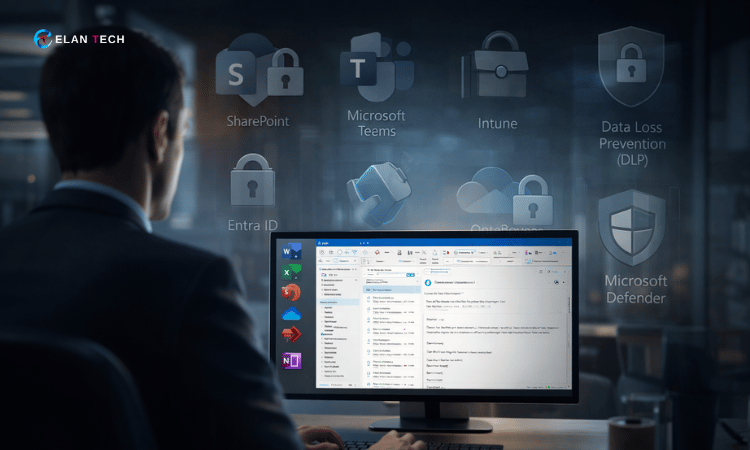
Are You Really Using Microsoft 365 Or Just Email?
Most companies on Microsoft 365 Business Standard only use Outlook, Word and Excel are leaving powerful security, governance and collaboration features unused.
If you’re unsure how SharePoint, access control, or data protection works in your organisation, you’re not alone.
Protect Your Business with Microsoft 365 Data Loss Prevention (DLP)
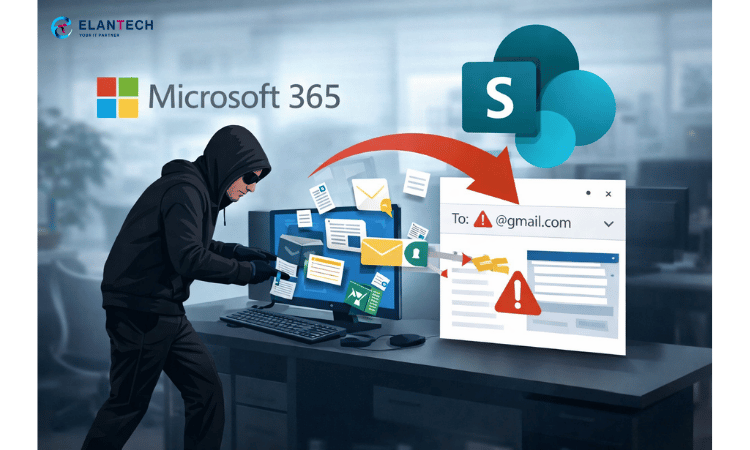
Sensitive data leaks can cost your business reputation, revenue, and compliance penalties. With Microsoft 365 DLP, we help you prevent confidential information such as financial records, client data, and internal documents from being shared externally by mistake. We configures and monitors DLP policies tailored to your business needs, this helps your Microsoft 365 environment stays secure and compliant.
Are you in doubt choosing which Microsoft 365 license is right for your business?
This is a common challenge many Malaysian SMEs face when selecting Microsoft 365 plans. Choosing the right Microsoft 365 license can be confusing especially when you’re unsure whether you need Business, Enterprise, or Education plans.
We help you select the most suitable plan based on your company size, working style, and security requirements.
Below is a quick guide to help you decide:
When to use:
Ideal for small businesses or startups that only need cloud-based email and web access to Office apps.
Includes:
Web & mobile versions of Word, Excel, PowerPoint, Outlook
Business-class email (Exchange Online)
Microsoft Teams for chat & meetings
1 TB OneDrive cloud storage per user
Example:
A small accounting firm with 10 staff who mainly work online and don’t need desktop Office apps yet.
When to use:
Perfect for teams that need both desktop and web versions of Office apps.
Includes:
Everything in Business Basic +
Desktop Office apps for PC/Mac
Microsoft Teams, SharePoint, and OneDrive
Business email hosting
Example:
An engineering consultancy that uses Outlook, Word, Excel, and PowerPoint daily on desktop and laptops.
When to use:
Best for SMEs that require advanced security and device management.
Includes:
Everything in Business Standard +
Microsoft Intune (Mobile Device Management)
Defender for Business (advanced threat protection)
Azure Entra ID (identity management)
Example:
A law firm or healthcare provider that handles confidential client data and needs strong security compliance.
When to use:
When you only need Office applications and don’t require Microsoft-hosted email or Teams.
Includes:
Word, Excel, PowerPoint, Outlook, and OneNote (desktop + mobile)
1 TB OneDrive storage
No Exchange or Teams
Example:
A small design studio that already uses another email system but needs licensed Office apps.
When to use:
For companies that need essential cloud services (email, Teams, web apps) but not desktop Office apps.
Includes:
Web-based Office apps only
50 GB mailbox per user (Exchange Online)
Teams, SharePoint, OneDrive
Example:
A large retail chain with many frontline staff who mainly use web browsers and Teams for communication.
When to use:
For businesses that need desktop apps, advanced security, and archiving features.
Includes:
Desktop Office apps (Word, Excel, PowerPoint, Outlook)
Unlimited OneDrive storage (for >5 users)
Data loss prevention (DLP), archiving, and encryption
Teams, SharePoint, Yammer
Example:
A corporate office or government agency that needs full-featured Microsoft 365 with compliance tools.
When to use:
For organizations requiring enterprise-grade security and analytics.
Includes:
Everything in E3 +
Microsoft Defender for Endpoint
Advanced Threat Protection (ATP)
Cloud App Security and analytics tools
Example:
A financial institution or manufacturing company with strict cybersecurity and compliance policies.
When to use:
For schools, universities, and educational institutions eligible for academic pricing.
Includes:
Office desktop & web apps for students and faculty
Teams for education collaboration
OneDrive storage
Example:
Colleges or training centers deploying Microsoft 365 for both staff and student collaboration.
When to use:
For companies adopting AI productivity.
Copilot integrates directly with Word, Excel, Teams, and Outlook to generate summaries, analyze data, and automate writing tasks.
Example:
A marketing agency or project manager who spends time creating reports or emails. Copilot speeds up daily work using AI.
When to use:
If you only need business-class email hosting without full Microsoft 365 apps.
Includes:
50 GB mailbox per user
Outlook web and mobile access
Anti-malware and anti-spam protection
Example:
A logistics company using Gmail or Zoho for web tools but needs Microsoft’s reliable email server for business email hosting.
Our team can assess your user count, IT environment, and data security needs to recommend the best Microsoft 365 license mix for your company whether you’re upgrading, migrating, or just getting started.
LOOKING FOR ENTERPRISE-LEVEL PLANS?
ELANTECH also supports Microsoft 365 E3 / E5 and Office 365 Enterprise editions for corporate environments
Are you looking for Managed IT solution?
ELANTECH provides high quality support and reliable managed IT services to help your businesses succeed with IT.
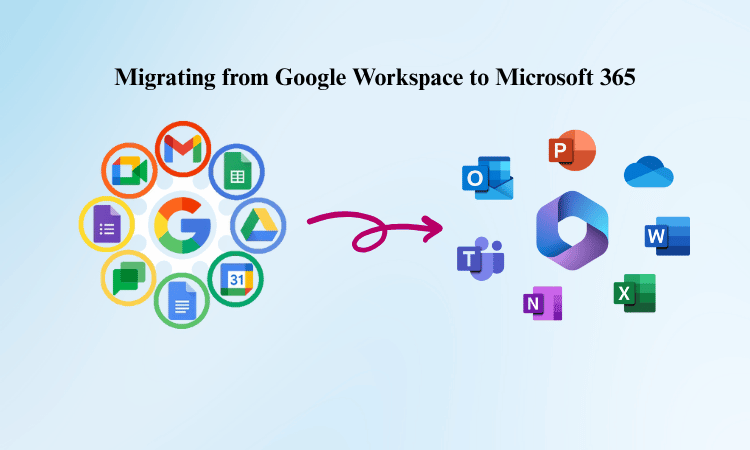
Microsoft 365 Migration Services
Migrating from Google workspace, smarter mail, or on-premise Exchange? We make it effortless.
Our certified engineers handle every step of your Microsoft 365 transition securely and efficiently.
Our services include:
- Domain & DNS configuration
- Email account creation and migration
- SharePoint & OneDrive setup
- Microsoft Teams deployment
- User access policy & device management
- Local onsite & remote support
Why Choose ELANTECH As Your Microsoft 365 Service Provider?
With ELANTECH’s Microsoft 365 managed services, your business gains a reliable partner dedicated to maximising your Microsoft 365 investment. Our comprehensive solutions will ensure your Microsoft 365 Perth environment is robust, secure, and efficient.
Microsoft SharePoint Configuration & Collaboration Setup
Empower your team with seamless document sharing and workflow automation through Microsoft SharePoint Online.
ELANTECH provides end-to-end SharePoint configuration, site structure design, and access control setup — fully integrated with your Microsoft 365 environment.
Our SharePoint Services Include:
- Departmental site & document library setu
- Custom permission & access policies
- Workflow automation using Power Automate
- Integration with Teams, Outlook, and OneDrive
- Data retention, versioning, and backup compliance
24/7 Support and SLA-based response
We go beyond standard IT support, we deliver proactive monitoring and round-the-clock assistance to keep your Microsoft 365 environment running smoothly, securely, and without downtime.
Our certified team monitors system health, email flow, and user performance in real-time, ensuring any issue is resolved before it affects your business operations.
What You Get with our Support:
- Easy setup and configuration — seamless onboarding for Microsoft 365 users.
- Real-time system monitoring — continuous performance and uptime checks.
- 24/7 helpdesk assistance — dedicated local engineers ready to respond anytime.
- Immediate issue resolution — SLA-backed response times for critical incidents
Microsoft MDM (Intune) – Mobile & Device Management
Protect your company’s data across devices with Microsoft Intune, the cloud-based Mobile Device Management (MDM) and Mobile Application Management (MAM) solution within Microsoft 365.We configures and manages MDM policies that secure every endpoint — laptops, tablets, and smartphones without disrupting user productivity.
Our MDM Configuration Includes:
- Policy creation for device compliance
- App protection and conditional access setup
- Remote wipe and device lock for lost/stolen units
- Integration with Entra ID for authentication
- Continuous monitoring and reporting via Microsoft Endpoint Manager
Microsoft 365 Security & Compliance
Your data security is our top priority. ELANTECH ensures that your Microsoft 365 environment meets the highest standards of protection, including:
- Multi-Factor Authentication (MFA)
- Microsoft Defender for Business
- Intune Endpoint Management
- Zero Trust Security Framework
- Data encryption & PDPA Malaysia compliance
Microsoft Entra ID Setup (Formerly Azure AD)
Establish a secure and centralized identity system with Microsoft Entra ID, the backbone of authentication in Microsoft 365 and Azure environments.
ELANTECH’s experts design and deploy Entra ID to control user access, enforce security policies, and integrate with your local directory if needed
Our Entra ID Setup Covers:
- Tenant configuration & domain verification
- User and group provisioning
- Role-based access control (RBAC)
- Single Sign-On (SSO) implementation
- Conditional Access & MFA policies
- Integration with on-premises Active Directory
Microsoft 365 Licensing Management
Simplify your subscription lifecycle with Elantech’s Microsoft 365 Licensing Management Service.We help Malaysian businesses select, optimize, and renew licenses cost-effectively — ensuring you only pay for what you need, with no service interruptions or compliance risks.
Our Licensing Management Covers:
- License planning for Microsoft 365 Business & Enterprise tiers
- Seamless upgrades or downgrades between plans
- Consolidated local billing in Ringgit Malaysia (RM)
- Automated renewal reminders and version updates
- License usage audits to eliminate waste and improve RO
Frequently Asked Questions (FAQ)
Microsoft 365 is an all-in-one cloud productivity suite developed by Microsoft for small and medium-sized businesses.It includes familiar tools such as Word, Excel, PowerPoint, Outlook, and Teams, combined with cloud storage, device security, and collaboration services.With Microsoft 365, Malaysian businesses can work anywhere securely, protect sensitive data, and stay connected through modern workplace tools, all in one subscription.
Office 365 focused mainly on Office apps and email hosting.Microsoft 365 takes it a step further it includes Office 365, plus additional features such as Windows OS licensing, Intune (MDM), Entra ID (formerly Azure AD), and enhanced security & compliance tools. In short, Office 365 is part of Microsoft 365 but Microsoft 365 offers a complete ecosystem for modern business management.
Each Microsoft 365 Business plan (Basic, Standard, and Premium) supports up to 300 active users.For larger teams or enterprise-scale needs, Elantech can assist with Microsoft 365 Enterprise plans (E3 / E5), which have no user limit.
Your data always belongs to you.If you cancel, you’ll have the option to download and back up your emails, documents, and files stored in Microsoft 365 before the account is closed.We recommend backing up your data early — Elantech can assist with Synology or cloud backup options to ensure nothing is lost.
Yes, you can easily upgrade or change plans at any time.Simply purchase the new plan (e.g., from Business Basic to Business Premium), and reassign the licenses to your users.Elantech handles the migration and ensures a smooth, zero-downtime transition between plans.
Absolutely.You can connect your company domain (e.g., @yourcompany.com) to Microsoft 365 to create professional email addresses.Elantech assists with DNS configuration and verification, ensuring your domain email works perfectly with Exchange Online and Outlook.
You’ll need the internet for setup, activation, and cloud syncing. However, desktop Office apps like Word, Excel, and Outlook can still be used offline. Once you reconnect, all your work automatically syncs to the cloud, ensuring your documents and emails are always updated.
Yes. Microsoft 365 supports both Windows and macOS operating systems.For the best experience, use Windows 10 or later, or macOS 10.15 (Catalina) and above.If you’re using older systems, you can still access Microsoft 365 via Office Online, the browser-based version of Word, Excel, and PowerPoint.
Yes Microsoft 365 apps such as Outlook, Word, Excel, and Teams are available on Android and iOS devices. You can access, edit, and share documents securely from your smartphone or tablet, with full sync to your Microsoft 365 account.
Microsoft 365 works best with the latest Office versions (Office 2019, 2021, or Microsoft 365 Apps).Older versions like Office 2010 or 2013 may still function but might experience limited compatibility with new cloud and security features.
The “cloud” refers to Microsoft’s global network of secure data centers where your files, emails, and applications are hosted.This means your data isn’t tied to one physical device — you can access it anywhere, anytime, and even if your PC fails, everything remains safely stored online under Microsoft’s enterprise-grade security.
No — each license is assigned to one individual user for security and compliance reasons.Every employee who needs access to Microsoft 365 apps should have their own user account and login credentials.Elantech can help plan the most cost-efficient license structure for your business.
Not necessarily. Microsoft 365 Business Basic works perfectly in any browser allowing users to use Office Online (Word, Excel, PowerPoint) without installing desktop apps. However, using the desktop version offers better offline access and productivity features.
Yes, we provide complete Microsoft 365 migration for emails, calendars, and data from platforms like Google Workspace, cPanel, or on-premise Exchange servers.Our process includes zero data loss, minimal downtime, and full post-migration testing.
Elantech provides end-to-end Microsoft 365 services — from license purchase to configuration, training, and 24/7 support.Our Malaysian-based team ensures your setup aligns with PDPA compliance, security policies, and your specific business workflow.